
Received a photo? Make it useful.
Chat photos,
clean documents.
Straighten document photos, reduce shadows and save a PDF — right in your browser.
Clean up photosFree · No account · No installation
Your photos stay on your deviceProcessed in this browser. No photo upload.Read the privacy informationReceived photo
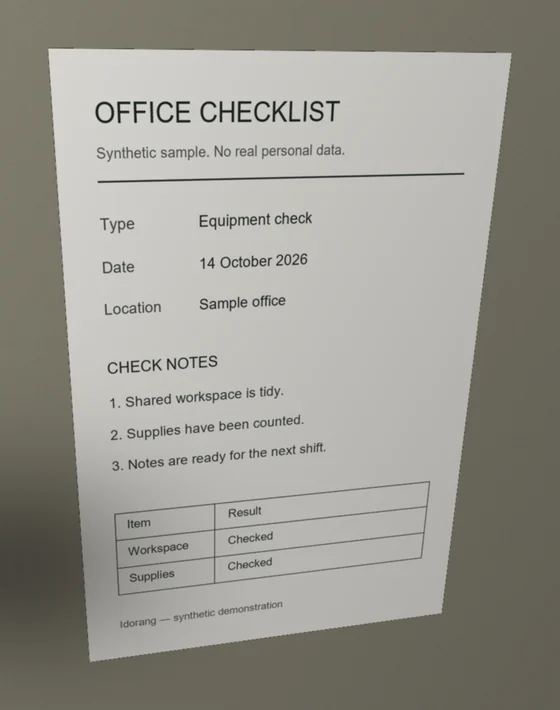
Tilt and shadows
Clean document
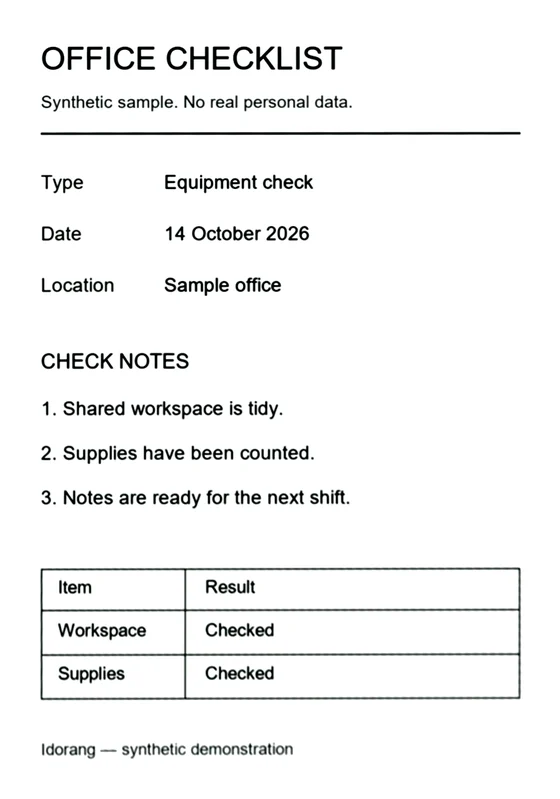
Straight and readable
Straighten tilted pages
Combine photos in one PDF
Keep files on your device
For photos you already received
Choose. Check. Save.
- Choose your photos
Save document photos from WhatsApp, Messenger or another chat. On a PC, drop files or paste a copied photo with Ctrl+V.
- Check the page corners
Review the detected edges. Drag the four handles if needed. If an edge is unclear, the full photo is kept.
- Save your document
Choose color, gray or black and white. Save one PDF or separate images. A4 and US Letter are available.
Your documents stay with you.
The scanner processes photos in your browser, without uploading them. You choose whether to save or share the results.
Privacy informationBefore you start
Can I use photos received in a chat?
Yes. Save the photos from the chat, then choose them in the scanner. On your PC, you can also drop files or paste a photo you have copied.
Can it recover blurry or missing text?
No. Straightening and brightness correction can improve readability, but cannot recover text lost through blur, heavy compression or the edge of the original photo. Always review the result.
Does it work on a phone?
Yes, in a current browser. If an app opens this page in an embedded browser and saving does not work, open it in your usual browser.
Does it recognize or translate the text?
No. This scanner produces an image-based PDF. It does not perform OCR or translate text in the photos.